Breaking News
Loading...
  • New Movies
  • Recent Games
  • Tech Review

Tab 1 Top Area

Tech News

Game Reviews

Recent Post

Showing posts with label Vivoti Ltd.. Show all posts
Tuesday, September 9, 2014
Monday, December 23, 2013
True Weather LWP v6.01

True Weather LWP v6.01

True Weather LWP v6.01

Paid Application Added Date: October 14 2014
Requires Android: 2.1 and upDeveloper: Vivoti Ltd.
Size: 11MCategory: Weather
Version: 6.01Version history: True Weather LWP

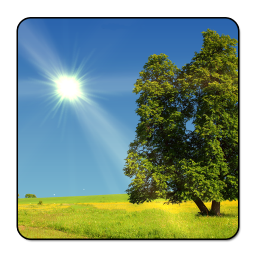
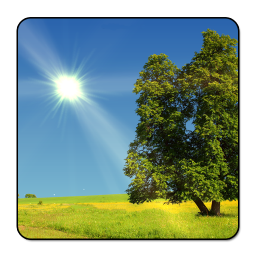
Screenshot True Weather LWP v6.01

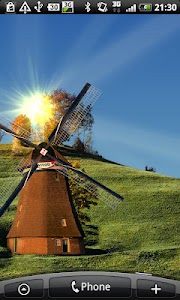
"TrueWeather animates the current weather day and night as a live wallpaper for your phone or tablet. The weather is reported for your current location or specified cities. The live wallpaper is animated in full HD. Main features of full version are: - Current weather situation. - Four different animated live wallpapers for 4 seasons (spring summer autumn winter). Season is automatically selected depending on your location and date. - Accurate animation of sunrise and sunset. - The current phase of the moon. - Choice of two weather providers. - 6 or 10-day forecast depending on the weather provider (start with double tap on the wallpaper see video). - Feels like temperature. - Wind speed and direction - Humidity - Quick access to 2nd city(triple tap wallpaper) - Lots of settings - Amazing interactive animation - In the autumn speed of windmill depends on the current wind speed - In the spring flowers fall from the tree depends on the current wind speed etc... - Rain Snow depends on the wind speed etc... - Optimization for CPU and Battery usage - Portrait & Landscape mode - Weather data in 21 languages (English Italian Russian Spanish French German Dutch Norwegian Czech Arabic Thai Turkish Polish Hungarian Finnish Slovak Hindi Japanese Romanian Portuguese and Korean) Tip: How to set TrueWeather live wallpaper? 1. Press HOME button 2. Press MENU button 3. Tap on Wallpaper --Live wallpapers 4. TrueWeather wait a few seconds! 5. Set wallpaper Tip: How to set the windmill theme?: 1. Go to TrueWeather settings (TrueWeather->Settings...) 2. Scroll to Year seasons 3. Uncheck: SpringSummerWinter 4. Check: Autumn 5. Scroll down to "Save" button and press it 6. Wait a few seconds 7. Now you should see windmill theme. Tip: To reduce battery consumption set FPS to 20 or 30 in TrueWeather advanced wallpaper settings Tip: To hide all weather data from wallpaper go to TrueWeather settings scroll to "Weather data position" and select "None" If you have any questions or suggestions do not hesitate to contact us ([email protected]). P.S. If you like our app please rate it with 5 stars. Thank you."

Download APK From Server 01Download APK From Server 02
Get it on Google Play
Sunday, December 22, 2013
True Weather 3D v6.0.3

True Weather 3D v6.0.3

True Weather 3D v6.0.3

Paid Application Added Date: October 12 2014
Requires Android: 2.2 and upDeveloper: Vivoti Ltd.
Size: 31MCategory: Weather
Version: 6.0.3Version history: True Weather 3D

Screenshot True Weather 3D v6.0.3

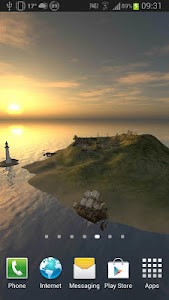
"TrueWeather 3D animates the current weather day and night as a 3D live wallpaper for your phone or tablet. The weather is reported for your current location or specified city. The live wallpaper is animated in 3D. It also include widget for 10 days forecast (meteogram). - Current weather situation. - Weather in notification bar. - Season is automatically selected depending on your location and date. - Sunrise sunset times. - The current phase of the moon. - Choice of two weather providers. - 10 days forecast graph (meteogram) Widget - Quick access to forecast (double tap wallpaper) - Feels like temperature. - Gray-scale and Sepia colors filter - Wind speed - Humidity - Lots of settings - Portrait & Landscape mode - Weather data in 22 languages (English Italian Russian Spanish French German Dutch Norwegian Czech Arabic Thai Turkish Polish Hungarian Finnish Slovak Hindi Japanese Romanian Portuguese Korean Bulgarian) Tip: To reduce battery consumption set Graphics Details to Low and Set FPS to 20 or 24 If you have any questions or suggestions do not hesitate to contact us ([email protected]). P.S. If you like our app please rate it with 5 stars. Thank you."

Download APK From Server 01Download APK From Server 02
Get it on Google Play
Tuesday, December 17, 2013
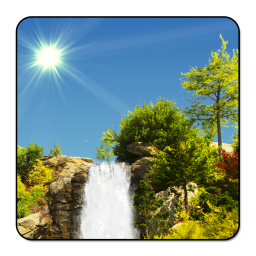
True Weather Waterfalls v6.02

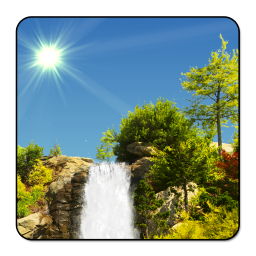
True Weather Waterfalls v6.02

True Weather Waterfalls v6.02

Paid Application Added Date: October 08 2014
Requires Android: 2.1 and upDeveloper: Vivoti Ltd.
Size: 19MCategory: Weather
Version: 6.02Version history: True Weather Waterfalls

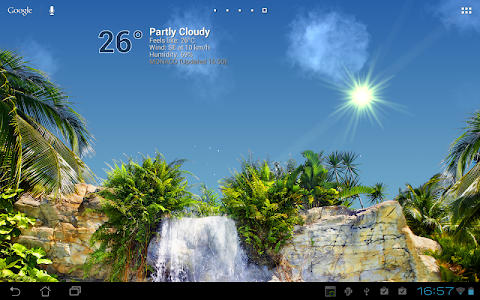
Screenshot True Weather Waterfalls v6.02

"TrueWeather animates the current weather day and night as a live wallpaper for your phone or tablet. The weather is reported for your current location or specified cities. The live wallpaper is animated in full HD. Main features of full version are: - Current weather situation. - Four different animated live wallpapers for 4 seasons (spring summer autumn winter). Season is automatically selected depending on your location and date. - 5 waterfalls themes. - Accurate animation of sunrise and sunset. - The current phase of the moon. - Choice of two weather providers. - 6 or 10-day forecast depending on the weather provider (start with double tap on the wallpaper see video). - Feels like temperature. - Wind speed and direction - Humidity - Quick access to 2nd city(triple tap wallpaper) - Lots of settings - Amazing interactive animation - Rain Snow depends on the wind speed etc... - Optimization for CPU and Battery usage - Portrait & Landscape mode - Weather data in 21 languages (English Italian Russian Spanish French German Dutch Norwegian Czech Arabic Thai Turkish Polish Hungarian Finnish Slovak Hindi Japanese Romanian Portuguese and Korean) Tip: How to set TrueWeather Waterfalls wallpaper? 1. Press HOME button 2. Press MENU button 3. Tap on Wallpaper --Live wallpapers 4. TrueWeather Waterfalls --wait a few seconds! 5. Set wallpaper Tip: How to change wallpaper theme (background)?: 1. Go to TrueWeather wallpaper settings (HOME->MENU->Wallpaper->Live Wallpapers->TrueWeather Waterfalls->Settings...) 2. Scroll to Year seasons theme 3. Select year season theme (Spring Summer Autumn Winter or Bonus) 4. Scroll to and press "Save" button 5. Press Home button and wait a few seconds Tip: To reduce battery consumption set FPS to 20 or 30 in TrueWeather Waterfalls advanced wallpaper settings) If you have any questions or suggestions do not hesitate to contact us ([email protected]). P.S. If you like our app please rate it with 5 stars. Thank you."

Download APK From Server 01Download APK From Server 02
Get it on Google Play
Copyright © 2012 Android Stock APK All Right Reserved
Designed by CBTblogger